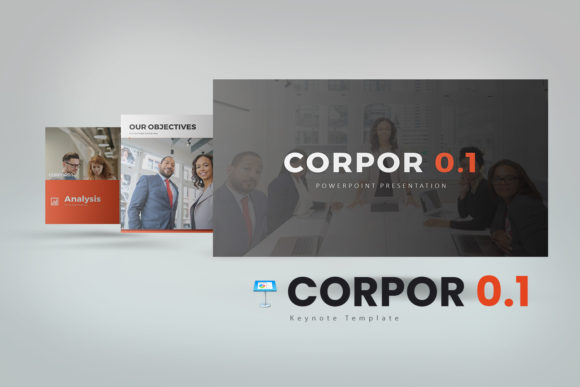
Evaluating Corpor 0.1 Keynote Templates for Business and Corporate Presentations
When preparing a professional presentation, the choice of template significantly influences the efficiency of your workflow and the final impact on your audience. For users of Apple’s Keynote software, finding a template that balances aesthetic appeal with corporate functionality is a common requirement. Corpor 0.1 Keynote Templates is a design package specifically developed for this purpose, offering a structured approach to creating polished slideshows. This article provides an objective evaluation of its features, helping you determine if it aligns with your presentation goals.
Understanding the Template Structure
Corpor 0.1 is designed to be a comprehensive toolkit rather than a single static design. The package includes 6 Keynote files, which collectively offer a substantial library of 180 slides. These slides are organized into 30 unique designs, allowing users to build varied presentations without repeating layouts. The template utilizes a standard 16:9 aspect ratio, which is the modern widescreen format suitable for most projectors and displays. This structure is intended to provide a foundation that can be adapted for different contexts, from internal business meetings to external client pitches.
Design Philosophy and Visual Flexibility
The design of Corpor 0.1 emphasizes cleanliness, simplicity, and a professional aesthetic. It aims to avoid visual clutter, which can distract from the content being presented. A notable feature is the inclusion of 3 distinct color schemes, available in both white and dark background versions. This allows users to select a palette that best fits their brand identity or the specific tone of their presentation. The template is described as "scalable and multipurpose," suggesting it is built to handle a range of corporate and business scenarios, from formal reports to creative proposals.
Customization and Editability
A key consideration for any presentation template is the degree to which it can be tailored. Corpor 0.1 is built with editability as a priority. All elements within the slides are designed to be easily modified. Charts included in the template are not just static images; they are editable in Excel, allowing for direct data updates and customization. The use of image placeholders simplifies the process of incorporating your own visuals. Furthermore, the template includes vector icons, which can be resized without loss of quality, and a documentation guide to assist with setup and use. This level of customization is intended to make the template a flexible tool that can conform to specific project requirements.
Situations Where Corpor 0.1 May Be a Strong Fit
This template package is likely to be a strong fit for professionals and businesses that regularly produce presentations and value a consistent, high-quality visual standard. It is particularly suitable for those who need a large variety of slide layouts to cover different types of content, such as timelines, data comparisons, team introductions, and agenda slides. If your workflow involves frequently updating charts with new data, the Excel-editable charts are a practical benefit. The inclusion of multiple color schemes also makes it a good option for teams that work with several brand guidelines or clients.
Considerations and Potential Tradeoffs
While the template offers extensive features, there are considerations to keep in mind. The template requires the prior installation of specific fonts, which are provided for free but must be set up before opening the files. This is an extra step in the initial setup process. Additionally, the stock photos used in the template previews are not included; users will need to source their own imagery. It is also important to note that this is a Keynote-specific template; it is not designed for use with Microsoft PowerPoint or Google Slides. Therefore, your decision should be firmly based on your commitment to the Keynote platform.
Comparing to Alternatives
When evaluating Corpor 0.1, it is useful to consider the broader landscape of presentation tools. If your team collaborates primarily in a cloud-based environment using Google Slides, or if your organization mandates the use of PowerPoint, this template would not be compatible. In such cases, seeking out templates designed for those specific platforms would be more appropriate. For Keynote users, alternatives might include other premium template packs or Apple's built-in themes. The primary differentiators for Corpor 0.1 appear to be the sheer volume of pre-designed slides and the specific focus on corporate and business content, which can save significant time in slide creation.
Making Your Decision
To determine if Corpor 0.1 Keynote Templates aligns with your needs, consider your typical presentation workflow. If you frequently build presentations from scratch within Keynote and find yourself spending excessive time on layout and design, a comprehensive template like this could streamline your process. Assess whether the included slide types—such as those for data visualization, organizational charts, and project timelines—match the common content you present. Review the color schemes to see if they can be adapted to your brand with minimal effort.
Ultimately, the value of Corpor 0.1 lies in its potential to reduce design friction and provide a consistent, professional framework. It is a tool for users who want to focus more on their message and less on the mechanics of slide construction. By examining the specific features and considering your platform commitment and presentation habits, you can make an informed choice about whether this template package is the right resource for your professional communication needs.