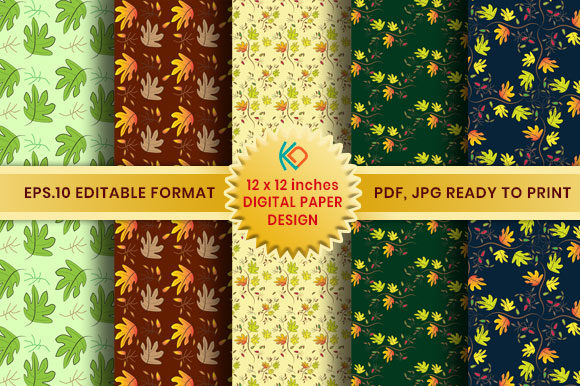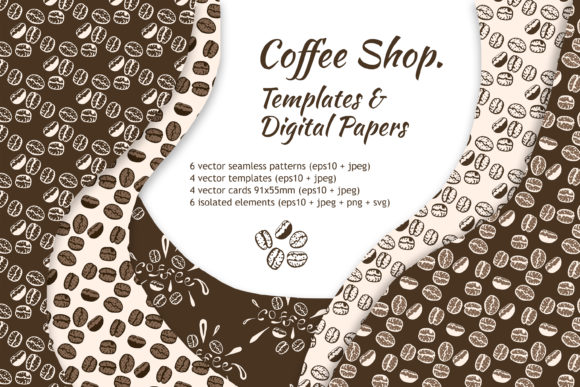
Unleash Creativity with Digital Paper Studio Pattern Templates
Finding the perfect background or texture for a creative project can often feel like searching for a needle in a haystack. You might spend hours scrolling through stock image sites, only to settle for something that is "close enough" but not quite right. This is where the concept of custom design creation becomes a game-changer. The Digital Paper Studio (DPS) offers a solution that bridges the gap between professional graphic design and accessible, everyday creativity. It is a toolset designed to help you generate your own unique digital papers, patterns, and textures without needing a degree in graphic arts.
What Exactly is DPS?
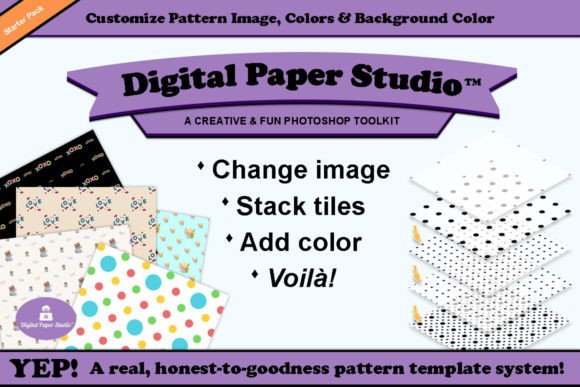
At its core, Digital Paper Studio is a collection of specially designed Smart Pattern templates. These templates are engineered to work seamlessly with design software, specifically Adobe Photoshop, utilizing Smart Objects to make the design process intuitive. The system allows you to exercise your creative flair by dragging and dropping images to create pattern overlays. Whether you want to use silhouette shapes, clipart, word art, or personal photographs, DPS facilitates the assembly of these elements into a cohesive final product.
The starter pack is comprehensive, providing everything a creator needs to begin. It includes PSD Smart Pattern Templates, layered digital paper design templates, a variety of ready-to-use PNG files, and an instruction manual. One of the standout features is the inclusion of templates in both RGB and CMYK color modes. This distinction is vital because RGB is optimized for digital screens (like websites and social media), while CMYK is required for accurate color reproduction in professional printing. This dual-mode capability ensures that your designs look just as vibrant on paper as they do on a monitor.
Tailoring the Tool to Your Needs
The utility of DPS varies significantly depending on who is using it. The beauty of this system is its flexibility, allowing different user groups to prioritize different aspects of the software. For some, it is about speed; for others, it is about the depth of creative control or the commercial viability of the final product.
For the Hobbyist and Beginner
If you are new to digital design, the learning curve of professional software can be intimidating. Beginners often prioritize ease of use and learning value. DPS addresses this by removing the need to build patterns from scratch. Instead of learning complex filter algorithms or brush dynamics, a beginner can simply drag a pre-existing silhouette or clipart into a template. The "mix and match" capability allows hobbyists to layer these elements and add custom colors instantly. This immediate gratification helps build confidence. A scrapbooker, for example, can quickly generate a background that matches the specific shade of their child’s birthday party photos without fussing over technical details.
For Professionals and Entrepreneurs
For graphic designers, marketers, and small business owners, the priorities shift toward quality, consistency, and commercial value. A marketing manager might need a specific branded texture for a social media campaign but cannot justify the time or cost of commissioning a photographer or artist for a unique background. With DPS, they can drag their brand assets or relevant icons into the template to create a bespoke texture that aligns perfectly with their campaign.
Furthermore, small business owners looking to create packaging or stationery will find the CMYK templates particularly useful. They can design custom wrapping paper or business card backgrounds that are print-ready, ensuring professional results that reinforce brand identity. The reliability of the PSD Smart Objects means that the design remains editable; if a client requests a color change at the last minute, it can be done in seconds rather than hours.
Educators and Content Creators
Educators and bloggers often need a high volume of visual content. Their primary concerns are often speed and reliability. A teacher creating worksheets or classroom decorations can use the ready-to-use PNG files for quick projects or dive into the templates to create themed papers for different seasons or subjects. Content creators can use these templates to generate unique channel art, ensuring their visual branding stands out in a crowded digital landscape. Because they can use multiple images and colors, they can create a series of related designs that look cohesive but distinct.
Practical Applications and Flexibility
The true power of Digital Paper Studio Pattern Templates lies in the practical application of its features. It is not just about making a static image; it is about creating a modular design system.
- Custom Scrapbook Paper: Hobbyists can match backgrounds to specific themes, such as vintage floral or modern geometric, by layering their own imagery.
- Digital Stationery: Freelancers can design letterheads and envelopes that reflect their personal style or their client's brand voice.
- Pattern Overlays: Photographers can create unique overlays to add texture to portraits or product shots, differentiating their editing style.
- Presentation Backgrounds: Professionals can move beyond boring solid colors in PowerPoint or Keynote by creating subtle, branded textures that add depth to their slides.
The ability to layer pattern tiles and add custom colors means the possibilities are virtually endless. You are not locked into a specific "look." You can start with a geometric template and make it organic by using soft, nature-based clipart, or turn a floral template into something edgy by using bold, contrasting colors and silhouette shapes. This level of flexibility ensures that the tool remains useful long after the initial novelty wears off.
Evaluating DPS for Your Projects
When deciding if this toolset is right for you, consider your current workflow and goals. If you frequently find yourself settling for stock images that don't quite fit, or if you wish you could create custom textures but lack the technical skills to build them from zero, DPS offers a practical middle ground.
It is important to note that this requires access to Adobe Photoshop, as the Smart Object functionality is central to the experience. However, for those with access to the software, the starter pack provides a robust foundation. The inclusion of an instruction manual further lowers the barrier to entry, guiding users through the process of assembling their final product.
As your skills and needs grow, the system is designed to expand. Upcoming expansion packs promise to open up even more creative possibilities. Once you experience how easy and fun it is to control your own backgrounds and textures, you may find yourself returning to this tool for a wide variety of future projects.
Ultimately, Digital Paper Studio Pattern Templates is about empowerment. It puts the design elements in your hands—literally—and allows you to dictate the final look of your project. Whether you are a professional seeking efficiency and brand consistency, or a hobbyist looking for a fun new way to express yourself, the ability to "drag, drop, and design" changes the way you approach digital paper creation.