Master Your Feed: The Badfeel Instagram Templates Workflow
In the crowded ecosystem of digital marketing, consistency is the currency of credibility. For designers, entrepreneurs, and content creators, the gap between a concept and a polished Instagram feed often lies in the friction of production. This is where the Badfeel Instagram Templates set changes the game. It is not merely a collection of static images; it is a comprehensive design asset built on a foundation of practicality and high-end aesthetics. By combining a robust PSD file with intelligent layer organization, these templates bridge the gap between professional graphic design and accessible content creation.
The core strength of this package lies in its technical specifications. Delivered as a high-resolution PSD file, the templates are engineered for modern publishing standards. With a canvas size of 1200 x 1200 px for the traditional feed and 1920 x 1080 px for broader digital applications, the design scales beautifully across devices. The 300 DPI resolution ensures that if you choose to repurpose these digital assets for print—such as lookbooks or small flyers—the output remains crisp. Furthermore, the RGB color profile is optimized for screen viewing, ensuring that the colors pop with the vibrancy required to stop a user mid-scroll.
The Power of the Smart Object Workflow
What separates a premium font or template pack from a free download is the user experience. The Badfeel Instagram Templates utilize Smart Object technology, a feature that is essential for anyone managing a high-volume content calendar. You do not need to be a Photoshop wizard to master this workflow. The process is intuitive: you simply double-click the image layer, click the layer icon within the image group, place your image, and hit CTRL + S to save.
This "double-click and save" mechanism is a massive time-saver. It automatically applies the correct perspective, shadows, and masking effects to your photo. Whether you are a photographer showcasing a portfolio or a small business owner highlighting a new product, this feature ensures your imagery looks integrated into the design rather than pasted on top of it. It eliminates the need for manual cropping and resizing, allowing you to maintain the visual hierarchy of the design effortlessly.
Typography and Brand Identity
While the layout provides the structure, the text provides the voice. A key feature of these templates is that all text is editable with the text tool. This is vital for brand identity. You are not locked into a specific slogan or font pairing. If your brand identity relies on a specific serif font for elegance or a bold sans serif font for impact, you can easily swap the existing typeface for your own.
This flexibility allows for significant influence over brand perception. The layout of the Badfeel templates often mimics modern editorial design, utilizing whitespace and grid systems to create a professional look. By editing the text, you can control the visual hierarchy—ensuring that your call to action is louder than your caption, or that your headline commands attention. This adaptability makes the templates suitable for a wide range of styles, whether you are aiming for a modern typography look, a handwritten font aesthetic for a personal touch, or a clean, corporate feel.
Practical Applications and Visual Appeal
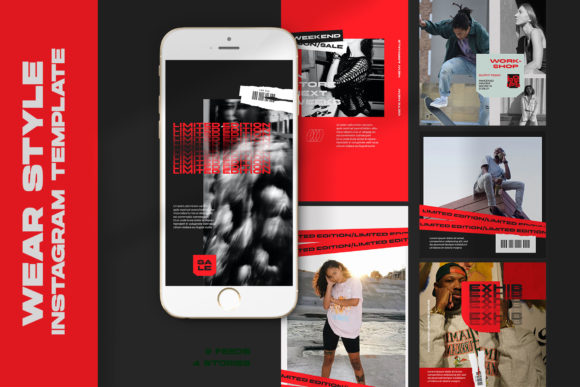
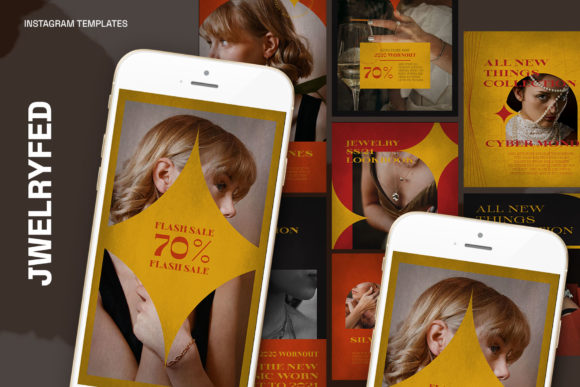
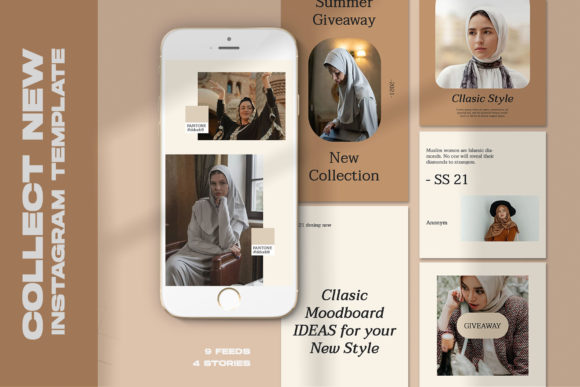
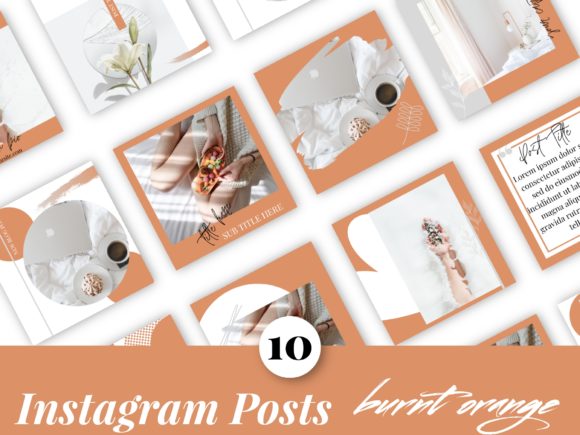
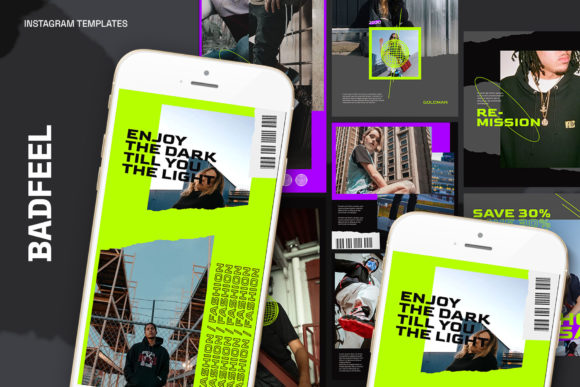
The visual personality of the Badfeel Instagram Templates leans towards a contemporary, clean aesthetic that values clarity over clutter. This makes them an ideal design asset for a variety of industries. The templates function as a neutral canvas that adapts to the content you feed it.
- For Entrepreneurs and Marketers: Use the 1920 x 1080 px layouts for web design mockups or digital presentations. The clean lines help in presenting data or product features without overwhelming the viewer.
- For Bloggers and Publishers: The 1200 x 1200 px square format is perfect for quote cards, article teasers, or breaking news. The readability is paramount here; the layout ensures that text overlays remain legible even on busy backgrounds.
- For Creatives and Crafters: The high DPI allows you to use these templates to mock up packaging design or logo design presentations. You can place your artwork into the Smart Object to show clients how it looks in a real-world context.
Strategic Implementation and Consistency
Consistency is the hallmark of a professional brand identity. When a user visits your profile, they should instantly recognize your aesthetic. By using the Badfeel Instagram Templates, you lock in a specific style of photography framing and text placement. This repetition builds recognition.
However, it is important to evaluate the fit of the template for your specific project. While the templates are easy to use, they should serve the message, not overshadow it. If you are a content creator focusing on dense information, ensure the text areas are large enough to hold your copy without looking cramped. Conversely, if you are a visual artist, utilize the image-focused layouts to let your work breathe.
Consider the font pairing possibilities. If the template features a heavy, bold header, balance it with a lighter, more legible body font. This creates a dynamic rhythm that guides the viewer's eye. The ability to edit all text means you can A/B test different headlines to see which drives more engagement, turning your Instagram grid into a functional marketing tool rather than just a digital scrapbook.
Final Thoughts on Utility
The Badfeel Instagram Templates represent a practical solution to a modern problem. They remove the technical barriers to high-quality design, allowing you to focus on strategy and storytelling. By leveraging the Smart Object workflow and maintaining the high-resolution standards of the file, you ensure that your digital presence is not only consistent but also professional. For the designer, marketer, or small business owner, this is an investment in efficiency and visual quality.