Streetwear Mockup Bundle Templates: A Comprehensive Guide for Creators and Brands
What Exactly Are These Mockup Bundles?
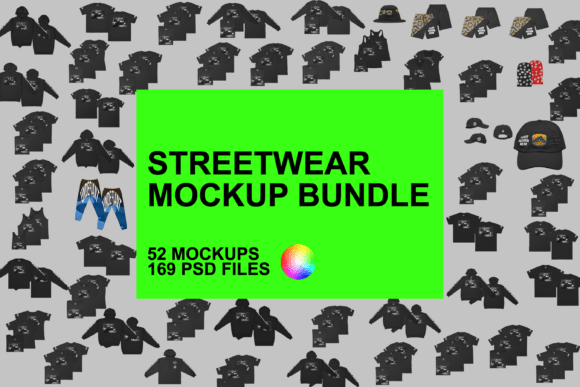
For anyone involved in fashion design, particularly within the streetwear sector, visualizing a finished product before it goes to print is a critical step. Streetwear Mockup Bundle Templates serve as the bridge between a digital concept and a physical reality. In simple terms, these are pre-made digital files, typically in PSD (Photoshop Document) or PSB format, that allow you to overlay your custom artwork onto photorealistic images of blank clothing.
Unlike simple flat images, these templates are constructed using smart objects and layers. This means you are not just pasting a picture on top of a shirt; you are wrapping your design around the folds, textures, and contours of the fabric. The result is a presentation that looks like a professional photoshoot has already taken place, even when the garment is still just an idea on your hard drive.
The Anatomy of a High-Quality Mockup
Not all mockups are created equal. The value of a bundle lies in its technical specifications and the variety it offers. A robust Streetwear Mockup Bundle Templates package usually includes high-resolution files—often 8000x8000 pixels at 300 DPI. This high fidelity is essential because it allows designers to zoom in on details, such as stitching or fabric weave, without the image becoming pixelated. It also ensures that the final output is crisp enough for large-format printing or high-definition web displays.
Furthermore, the structure of the file matters. Professional templates utilize "Smart Objects" in software like Adobe Photoshop. This feature allows you to simply double-click a layer, paste your artwork, save, and watch as the software automatically adjusts the lighting and perspective of your design to match the garment. It removes the need for complex warping or manual shading, saving hours of post-processing time.
Decoding the Models: Why Variety Matters
One of the most significant advantages of utilizing a comprehensive bundle is the sheer variety of garment blanks included. In the real world, the "fit" and "feel" of a t-shirt or hoodie are determined by the manufacturer and the specific model number. A design that looks perfect on a heavyweight cotton tee might look entirely different on a lightweight tri-blend shirt.
A premium bundle addresses this by offering templates for a wide range of industry-standard models. For instance, you might find templates for:
- Classic Streetwear Fits: Heavy cotton options like the Gildan 5000 or Gildan 2000, which are staples for boxy, vintage-feel streetwear.
- Premium Retail Fits: Soft-fashion blanks like the Bella Canvas 3001 or Next Level 3600, often used by higher-end brands for a slimmer, softer silhouette.
- Specialty Items: Comfort Colors (C1717) for that trendy, garment-dyed look, or specific hoodies like the INDEPENDENT SS4500.
Having access to specific models ensures that your mockup accurately represents the exact blank you intend to use for production. This consistency is vital for building trust with your customers.
Features That Empower Designers
Beyond the basic application of artwork, advanced Streetwear Mockup Bundle Templates offer granular control over the presentation. This is where the creative direction truly comes to life.
Full Customization Capabilities
Modern templates allow for more than just a chest logo. You can typically edit:
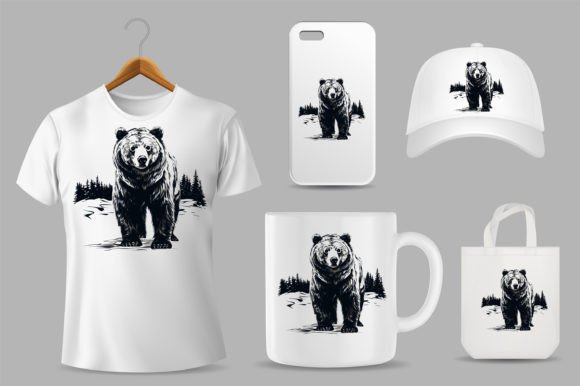
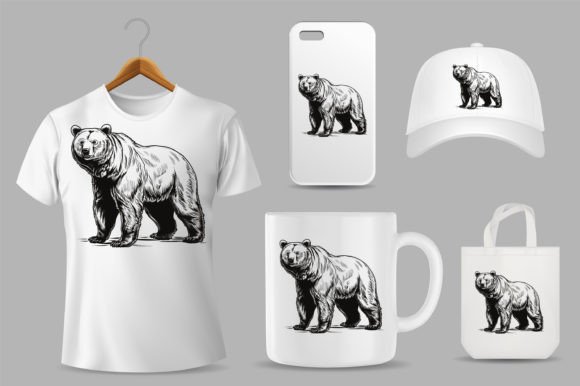
- Multiple Print Locations: Front, back, sleeves, and even neck labels.
- All-Over Prints: For designs that wrap around the entire garment.
- Finishing Touches: Adjusting lighting settings to match a day or night vibe, adding or removing drop shadows for depth, and changing the background color to fit your brand aesthetic.
- Hardware Details: For hoodies and pants, you can often change the color of the drawstrings (laces) or hide them entirely for a cleaner look.
Access and Compatibility
These resources are generally delivered as a PDF containing links to a cloud directory (like Google Drive), where the actual ZIP files are stored. It is important to note that while these are professional-grade files, they are accessible. They are compatible with Photoshop 7.0 and above, but for those without a subscription, they often work seamlessly with Photopea, a free, browser-based alternative that supports PSD layers.
Real-World Applications
The utility of these templates extends across various business models within the fashion industry.
- E-commerce Storefronts: For print-on-demand businesses, mockups are the primary product imagery. Instead of photographing hundreds of color variations, a designer can generate a clean, white-background image for a catalog in minutes.
- Client Pitches: Freelance designers can use these templates to present concepts to clients professionally. Showing a logo on a realistic hoodie is infinitely more persuasive than showing it on a flat grid.
- Social Media Marketing: Brands can create "lifestyle" content by placing their designs on models or mannequins within the templates, creating engaging content for Instagram or TikTok without booking a photographer.
- Sampling Validation: Before committing to expensive physical samples, a brand can review the mockup to check color contrast and placement, potentially catching design errors early.
Evaluating Suitability and Limitations
While Streetwear Mockup Bundle Templates are incredibly powerful, it is important to have realistic expectations. They are tools for visualization, not magic wands.
The "Digital vs. Physical" Gap: Even the best mockup cannot perfectly predict how ink will sit on physical fabric. Screen colors (RGB) differ from print colors (CMYK). A design might look vibrant on a monitor but dull on a heavy cotton shirt. Mockups should be used as a guide, not a guarantee of the final physical product's exact color hue.
File Management: With 47 zip files included in a typical bundle, organization is key. Downloading and managing these large files (8000px files are heavy) requires adequate storage space and a decent computer processor to run smoothly, especially when working with multiple smart objects.
Learning Curve: While using the smart objects is straightforward, beginners might find the layer structure of professional PSD files overwhelming. However, taking the time to learn the basics of Photoshop or Photopea is a worthwhile investment that pays dividends in design speed.
Conclusion
For the modern creator, efficiency and presentation are just as important as the design itself. A comprehensive bundle of streetwear mockups provides the tools necessary to bridge the gap between imagination and commerce. By offering high-resolution files, specific garment models from Gildan to Champion, and deep customization options, these templates empower designers to produce professional-grade visuals rapidly. Whether you are launching a new drop, pitching a client, or building a catalog, integrating these templates into your workflow is a practical step toward elevating your brand's visual identity.